

Most WordPress bloggers focus all their SEO energy on two things: creating content and getting backlinks. Both matter. But there is a third pillar of SEO that consistently delivers strong ranking improvements at zero cost, and most bloggers barely touch it.
- How Internal Links Pass Authority Between Pages
- Internal Links and Google Crawlability
- Building Topical Authority With Internal Links
- The Pillar and Cluster Model Explained
- How Internal Links Improve User Engagement Signals
- Real Results: What Happens When You Fix Internal Linking
- Step-by-Step Internal Linking Strategy for WordPress
That pillar is internal linking. When done strategically, internal links can move pages from page 3 of Google to page 1, reduce orphan pages that Google ignores, and dramatically increase the amount of your content that actually gets indexed and ranked. This guide explains exactly how it works and gives you a step-by-step strategy to implement it on your WordPress site today.
How Internal Links Pass Authority Between Pages
Every web page has a level of authority, sometimes called “PageRank,” determined by how many and how high-quality the links pointing to it are. When another page links to yours, some of that authority transfers. This is well established and fundamental to how Google ranks pages.
What many bloggers do not realize is that internal links work the same way. When your most authoritative page, perhaps your homepage or a popular post that has earned many backlinks, links to a newer, less established page, it passes a portion of its authority to that newer page. This boost in authority can be enough to move the newer page from page 3 to page 1 of Google.
Key insight: Every page on your site that has earned backlinks from other sites is an authority source you can use. By placing internal links from these high-authority pages to your newer content, you give that content a ranking boost that no amount of keyword optimization alone can provide.
This is why one of the most effective SEO tactics for any new blog post is to immediately go back to your existing popular posts and add an internal link pointing to the new post. You are essentially lending your new post some of the authority your older posts have already earned.
Internal Links and Google Crawlability
Google’s crawler has a limited crawl budget for each website, meaning it can only visit and process a certain number of pages per day. How does it decide which pages to crawl? It follows links.
If a page on your site has no internal links pointing to it, Google’s crawler has no reliable way to find it. That page becomes what SEOs call an “orphan page,” isolated, uncrawled, and unranked. No amount of great content or keyword optimization helps an orphan page because Google simply does not know it exists.
Internal links solve this completely. By linking to every page from at least 2 to 3 other pages on your site, you guarantee that Google’s crawler can find and index your content. All key pages should be within 3 clicks of the homepage; this is a fundamental principle of well-structured WordPress sites.
Building Topical Authority With Internal Links
Google’s ranking algorithm in 2026 does not just evaluate individual pages in isolation; it evaluates the topical depth of entire websites. A site that covers a topic comprehensively and connects all its related content with internal links is recognized as a topical authority, an expert source that deserves to rank for that topic.
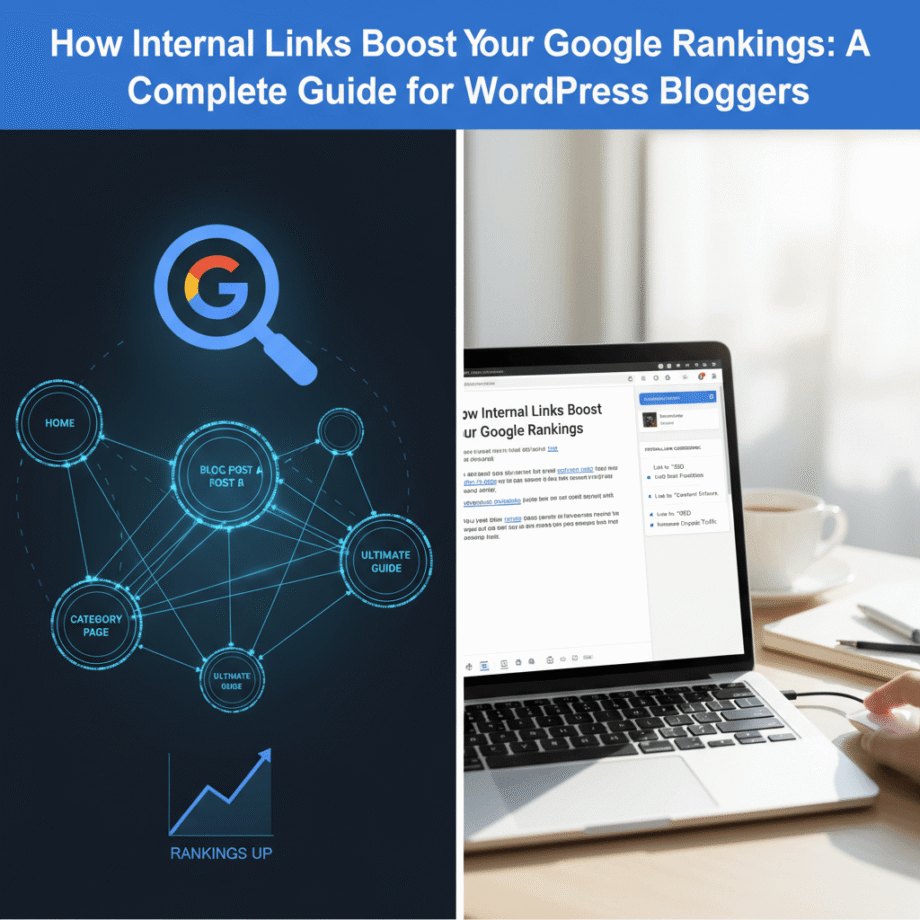
Internal links are the primary tool for building topical authority. When Google crawls your site and sees that your post about “keyword research” links to your post about “long tail keywords,” which links to your post about “focus keyword detection,” which links back to “keyword research,” it maps out a dense, interconnected topic cluster. That cluster signals topical expertise and earns higher rankings across all the pages in it.
A site with 10 deeply interlinked posts on WordPress SEO consistently outperforms a site with 30 isolated posts on the same topic. Depth and connection beats volume every time.
The Pillar and Cluster Model Explained
The most effective way to use internal links for topical authority is through the pillar and cluster model. Here is how it works:
1. Create a pillar page, a long, comprehensive guide covering a broad topic—for example, “The Complete WordPress SEO Guide.” This targets a moderately competitive keyword and serves as the authority hub for that topic.
2. Create cluster posts Write 8 to 15 specific blog posts, each covering a subtopic of the main pillar—for example, “How to choose a focus keyword in WordPress,” “WordPress internal linking strategy,” and “Best WordPress SEO plugins 2026.” Each targets a specific long-tail keyword.
3. Link bidirectionally Every cluster post links back to the pillar page. The pillar page links out to every cluster post. This creates a closed authority loop where all pages reinforce each other.
4. Watch rankings climb Google sees a comprehensive, deeply interlinked topic cluster and rewards every page in it with higher rankings. Your pillar page ranks for competitive terms. Your cluster posts rank for their specific long-tail phrases.
| Without Pillar/Cluster | With Pillar/Cluster |
|---|---|
| Isolated posts competing against each other | Interconnected posts reinforcing each other |
| Authority spread thin across the site | Authority concentrated and amplified in topic clusters |
| Google unsure what your site is an expert in | Google recognizes your site as a topical authority |
| Posts ranked individually on their own merit | Posts ranked as part of an authoritative cluster |
How Internal Links Improve User Engagement Signals
Google uses engagement signals how long people spend on your site, how many pages they visit, and how quickly they leave as indirect ranking factors. Internal links directly improve these signals in three ways:
Reduced bounce rate
When a reader finishes your article and sees a relevant internal link to another post that answers their next question, they click it instead of going back to Google. Your bounce rate drops. Google notices that visitors find your site worth staying on and ranks you higher.
Increased pages per session
Every relevant internal link is an opportunity for a visitor to read another page. Sites with strong internal linking consistently achieve 3 to 5 pages per session rather than 1.2. This dramatically increases your AdSense revenue and affiliate conversions per visitor.
Longer time on site
More pages visited means more time spent on your site. Time on site is one of Google’s strongest engagement quality signals. A visitor who spends 12 minutes reading three articles sends a much stronger quality signal than one who reads one post for 3 minutes and leaves.
Real Results: What Happens When You Fix Internal Linking
Here is what typically happens when a WordPress site implements a proper internal linking strategy after having poor or no internal links:
- Orphan pages start getting discovered and indexed within 2 to 4 weeks
- Pages that were stuck on page 3 or 4 of Google begin climbing, often reaching page 1 within 6 to 10 weeks
- Crawl coverage improves; Google starts indexing a higher percentage of published content
- Bounce rate drops as visitors discover and click related content
- Time on site increases often by 40% to 80%, which improves all engagement metrics
- Overall site authority grows as internal PageRank flows more efficiently
Note: Internal linking improvements take 4 to 12 weeks to fully reflect in Google rankings. Do not expect overnight results but do expect steady, compounding improvements over 2 to 3 months.
Step-by-Step Internal Linking Strategy for WordPress
1. Audit your site for orphan pages. In Google Search Console, go to Coverage and look for pages that are indexed but getting zero impressions. These are often orphan pages that need internal links pointing to them from relevant posts.
2. Map your topic clusters. List all your posts and group them by topic. Identify which post should be the pillar page for each topic cluster and which posts should be the cluster pages linking back to it.
3. Add links from your most popular posts Your most visited posts have the most authority. Go into each one and add 2 to 3 internal links to newer or less popular posts on related topics. This is the fastest way to pass authority to content that needs it.
4. Use descriptive anchor text Every internal link should use anchor text that describes the destination page using relevant keywords, not “click here” or “read more.”
5. Automate ongoing linking: Use a plugin like Auto Internal Linker by KentDevTools to automatically insert contextual internal links on every page load so every new post you publish is automatically connected to relevant existing content without any manual work.
Internal links are not just helpful navigation tools; they are a fundamental ranking mechanism that Google relies on to evaluate your site’s authority, topical depth, and content quality. Every internal link you add passes authority, improves crawlability, builds topical clusters, and keeps visitors engaged longer.
The pillar and cluster model is the most powerful way to structure your internal links, and it consistently produces ranking improvements across every page in a cluster. Start with your most important topic, build your cluster, link bidirectionally, and watch Google recognize your site as a topical authority.