

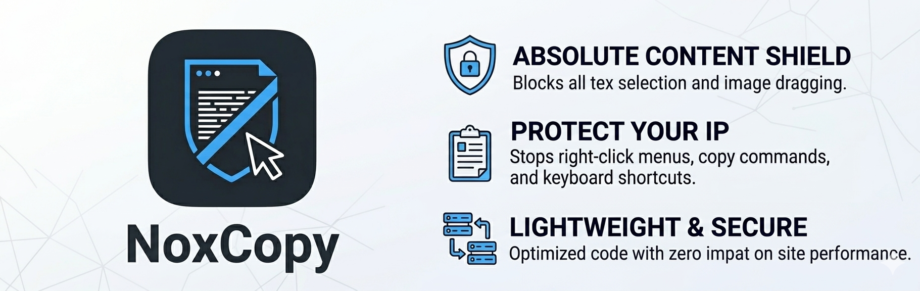
Complete guide to installing, configuring, and getting the most out of NoxCopy the Absolute Content Shield for WordPress, by KentDevTools.
- Requirements
- Installation
- Quick Start
- Master Switch
- Protection Levels
- Protection Controls
- AdSense Safe Mode
- Watermark
- Post Types
- Messages & Redirects
- Right-Click Disable
- Text Selection
- Keyboard Shortcuts
- DevTools Detection
- Screenshot Protection
- Image Protection
- FAQ
- Is NoxCopy 100% foolproof?
- Will it affect my SEO?
- Does it work with WooCommerce?
- Does it work on mobile?
- Troubleshooting
- Support
NoxCopy is a professional-grade WordPress content protection plugin that prevents your posts, pages, and custom content from being copied, scraped, or stolen. It operates entirely on the client side via JavaScript, meaning zero server overhead and no impact on your SEO or PageSpeed score.
NoxCopy v1.0.0 is compatible with WordPress 5.8 and above, requires PHP 7.4+, and has been tested up to WordPress 6.5.
Requirements
| REQUIREMENT | MINIMUM | RECOMMENDED |
|---|---|---|
| WordPress | 5.8 | 6.4+ |
| PHP | 7.4 | 8.1+ |
| MySQL | 5.7 | 8.0+ |
| Browser support | All modern browsers (Chrome, Firefox, Safari, Edge) | |
| Theme compatibility | Any theme: Astra, GeneratePress, Divi, Elementor Hello, OceanWP | |
Installation
Method 1 — WordPress Admin Upload (Recommended)
1. Download the plugin
After purchase, download noxcopy.zip from your KentDevTools account or email receipt.
2. Open WordPress admin
Navigate to Plugins → Add New → Upload Plugin your WordPress dashboard.
3. Upload the zip file.
Click “Choose File,” select it, then click “Install Now.”
4. Activate
Click “Activate Plugin” once installation completes. NoxCopy will appear in your admin sidebar.
5. Configure
Go to “Settings” NoxCopy in the sidebar, set your protection level, and click “Save Settings.”
Method 2 — FTP / File Manager
Extract noxcopy.zip and upload the noxcopy/ folder via FTP or your hosting file manager. Then activate it.
Quick Start
After activation, NoxCopy runs with sensible standard defaults: right-click disabled, text selection blocked, keyboard shortcuts intercepted, and image dragging prevented. You’re protected immediately.
✓ To verify protection is working: visit your site’s frontend in a private/incognito window and try right-clicking or selecting text. You should see the alert toast appear.
To customize, go to NoxCopy in your WordPress admin sidebar and adjust the settings as needed.
Master Switch
The “Enable NoxCopy protection” toggle at the top of the settings page is a global on/off switch. Disabling it removes all frontend protections site-wide without uninstalling the plugin. Your settings are preserved.
Protection Levels
Protection level presets auto-configure all individual controls at once. You can further customize each control after selecting a level.
| LEVEL | RIGHT-CLICK | TEXT SELECT | KEYBOARD | SCREENSHOT | DEVTOOLS | IMAGE DRAG | |
|---|---|---|---|---|---|---|---|
| Basic | ✓ | — | — | — | — | ✓ | — |
| Standard | ✓ | ✓ | ✓ | — | ✓ | ✓ | — |
| Strict | ✓ | ✓ | ✓ | ✓ | ✓ | ✓ | ✓ |
Protection Controls
| CONTROL | WHAT IT DOES |
|---|---|
| Disable right-click | Intercepting contextmenu events and calls preventDefault() blocks the browser context menu on all content. |
| Disable text selection | Blocks selectstart and multi-click events. Injects a CSS rule setting user-select: none on all elements. |
| Block keyboard shortcuts | Intercepts keydown events—blocks Ctrl/Cmd + C, X, A, U, S, P, and F12. Also blocks Ctrl+Shift+I/J/C/K (DevTools panels). |
| Screenshot / print blur | “Listens for visibilitychange events” appliesfilter: blur(10px) to the page body. |
| DevTools detection | The polls window size differs every second. Triggers when outer dimensions exceed inner by 160 px, the standard DevTools threshold. |
| Disable image drag & save | Sets draggable="false" on all images and blocks them contextmenu and dragstartevents. Uses MutationObserver for dynamic images. |
| Disable printing | On beforeprint: sets display:none on the body. On afterprint: restores it. |
| Exclude logged-in users | Skips loading the protection script entirely for authenticated WordPress users. |
AdSense Safe Mode
Enable this before applying for Google AdSense. It automatically disables the features most likely to trigger a rejection during the AdSense review process.
⚠ When AdSense Safe Mode is enabled, text selection blocking, keyboard shortcut interception, DevTools detection, and screenshot blurring are automatically turned off even if they were previously enabled.
| FEATURE | ADSENSE SAFE MODE | WHY |
|---|---|---|
| Disable right-click | Kept on | Acceptable UX per Google’s guidelines |
| Disable image drag | Kept on | Does not affect reviewer experience |
| Disable text selection | Turned off | Google flags this as poor UX |
| Block keyboard shortcuts | Turned off | Disrupts reviewer & quality rater tools |
| DevTools detection | Turned off | Google’s tools use DevTools during review |
| Screenshot protection | Turned off | Can interfere with review process |
Once your AdSense account is approved, you can disable Safe Mode and re-enable any features you want.
Watermark
The watermark feature overlays a semi-transparent text stamp directly on your post content using absolute CSS positioning: no images, no external requests.
Settings
| SETTING | DESCRIPTION | DEFAULT |
|---|---|---|
| Watermark text | The text shown in the stamp. Keep it short; long text wraps awkwardly. | CONFIDENTIAL |
| Opacity (%) | How visible the watermark is. 5–15% Is a good balance visible enough to deter and subtle enough not to hurt readability? | 8 |
The admin settings page shows a live preview of your watermark text and opacity as you type — no need to save and refresh your site to check it.
Post Types
NoxCopy lets you choose exactly which public post types receive protection. By default, Posts and Pages are selected.
All registered public post types appear as toggleable pills, including WooCommerce products, portfolio items, courses, and any custom post types registered by other plugins or your theme.
Post-type targeting controls which content types the protection script loads on — not individual posts. Per-post exclusions are planned for a future release.
Messages & Redirects
Alert Message
When a user triggers a blocked action (right-click, keyboard shortcut), NoxCopy shows a non-blocking toast notification at the bottom of the screen. Set the message text here. Leave blank to show no notification.
DevTools Redirect URL
When DevTools detection fires, you can choose to redirect the visitor to a custom URL (e.g., a warning page, your homepage, or any external URL) instead of showing the alert message.
Leave this field blank to show the alert message instead of redirecting.
Right-Click Disable
Intercepts the browser’s native contextmenu event on document level and calls it. This blocks the context menu on all content text, images, links, and backgrounds.
This does not affect form inputs, the WordPress admin area, or any logged-in users when the “Exclude logged-in users” option is enabled.
Text Selection
Blocks the selectstart event and prevents multi-click selection (double and triple click). Also injects a CSS rule applying user-select: none globally. This is the most effective way to prevent text selection on both desktop and mobile.
⚠ This feature is disabled automatically when AdSense Safe Mode is on. Google considers site-wide text-select blocking to be poor UX.
Keyboard Shortcuts
Intercepts keydown events and blocks the following combinations:
Ctrl/Cmd + CCopyCtrl/Cmd + XCutCtrl/Cmd + ASelect AllCtrl/Cmd + UView SourceCtrl/Cmd + S—Save PageCtrl/Cmd + PPrintF12DevToolsCtrl+Shift+I/J/C/KDevTools panels
DevTools Detection
Polls every 1 second and compares. When either exceeds 160 px (the standard threshold for a docked DevTools panel), the trigger fires.
You can either show the alert message or redirect to a custom URL when this triggers; it’s configurable in the Messages & Redirects section.
Screenshot Protection
Listens for the visibilitychange event when the tab becomes hidden (e.g., the user switches to a screenshot tool, screen recorder, or print dialog opens); a blur(10px) filter is applied tto it. The blur lifts 400ms after the tab becomes visible again.
Image Protection
On page load, NoxCopy sets itself draggable="false" on every <img> element and attaches contextmenuandragstart event blocker. A MutationObserver watcher for dynamically added images (from AJAX, lazy loaders, and page builders) and applies the same protections automatically.
FAQ
Is NoxCopy 100% foolproof?
No browser-side protection is unbreakable. A sufficiently technical user can always view raw server responses. NoxCopy stops the vast majority of casual copiers and scrapers effectively. Think of it as a deadbolt; it deters almost everyone.
Will it affect my SEO?
No. Googlebot crawls server-side HTML. All NoxCopy protections are JavaScript-only and completely invisible to search crawlers.
Does it work with WooCommerce?
Yes. Select Product in the Post Types section to apply protection to WooCommerce product pages.
Does it work on mobile?
Yes. Text selection blocking and right-click prevention work on mobile browsers. Some keyboard shortcut blocking is desktop-only by nature.
Troubleshooting
Protection not working on my site
- Confirm the plugin is activated in
Plugins → Installed Plugins - Check the Master Switch is enabled in NoxCopy settings
- Check “Exclude logged-in users” — if enabled, protections won’t show while you’re logged in. Test in a private/incognito window.
- Ensure your post type is selected in the Post Types section
- Check your browser console for JavaScript errors from other plugins that might conflict
Conflict with another plugin
Temporarily deactivate other plugins one by one to identify the conflict. Common conflicts occur with aggressive caching plugins that concatenate JS files. Try excluding noxcopy.js JS concatenation in your cache plugin settings.
Watermark not showing
The watermark only applies to content filtered through the_content Hook’s standard WordPress posts and pages. Custom page builder content rendered outside this hook may not show the watermark.
Support
Need help? KentDevTools offers support for all NoxCopy license holders. Just Contact Us