

Internal linking is one of the highest-impact SEO strategies you can apply to a WordPress site and also one of the most painfully time-consuming. Most bloggers know they should be doing it. Almost none of them do it consistently. Auto Internal Linker By KentDevTools changes that by doing it automatically, silently, and safely without ever modifying your database.
- The Internal Linking Problem Every WordPress Blogger Ignores
- Works Best With Focus Keyword Detector By KentDevTools
- How It Compares to Premium Internal Linking Plugins
- Start Automating Your Internal Links Today: Free
- Powerful Rules That Keep Your Links Natural and Clean
- Frequently Asked Questions
- Will automatic internal links hurt my SEO?
- What happens if I deactivate the plugin?
- Do I need Focus Keyword Detector to use this plugin?
- Is it compatible with my page builder?
- How do I update the keyword index when I publish new posts?
- Your WordPress Site Deserves a Real Internal Linking Strategy
40% average increase in pages per session with proper internal linking
0 database writes links injected at display time only
100% free no subscription, no API, no limits
The Internal Linking Problem Every WordPress Blogger Ignores
Ask any SEO expert what the most underrated on-page SEO tactic is, and internal linking comes up every single time. It helps Google understand your site structure, passes authority between your pages, keeps visitors on your site longer, and directly improves rankings for your most important posts.
And yet almost nobody does it well. Why? Because doing it manually is absolutely tedious. You finish writing a post, then you have to:
- Remember which other posts on your site are related
- Go back and edit each old post to add links to your new one
- Go through your new post and manually add links to older content
- Do this for every single post forever
For a site with 50, 100, or 300 posts, this isn’t just time-consuming it’s impossible to do consistently. Most bloggers either do it sporadically on new posts and ignore old content entirely, or they pay for expensive premium plugins that charge $100/year just for automatic linking.
Internal linking is one of the easiest SEO wins available but doing it manually at scale is a nightmare. There had to be a smarter way.
Introducing Auto Internal Linker By KentDevTools — Free Automatic Internal Linking for WordPress
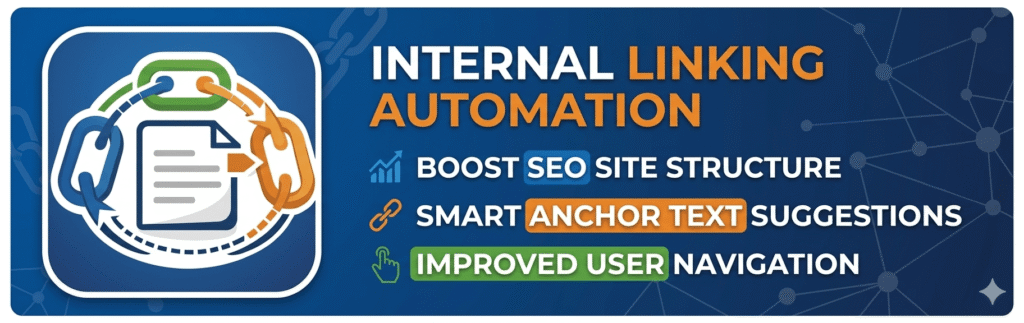
Auto Internal Linker By KentDevTools is a free WordPress plugin that automatically inserts contextual internal links into your posts based on the focus keywords you’ve set for each page. It works silently in the background on every page load, using PHP output buffering so your database is never touched.
You set it up once. After that, every time a visitor loads a post, the plugin scans the content for matching keywords and wraps them with internal links to the relevant pages automatically. No manual editing. No saving. No maintenance.
Automatic Link Insertion
Keywords are matched and wrapped with internal links on every page load. Completely hands-free after the initial setup.
Zero Database Writes
Links are injected via PHP output buffering at display time. Your post content in the database is never modified.
Smart Keyword Index
Builds a keyword → URL map from all published posts and updates it automatically whenever a post is saved or deleted.
Cache Compatible
Works with LiteSpeed Cache, WP Rocket, W3 Total Cache, WP Super Cache, and Autoptimize out of the box.
How It Works: The Technology Behind It
Most internal linking plugins modify your post content directly in the database. That approach causes serious problems WordPress’s content filters escape the HTML, resulting in broken link code showing up as raw text in your posts. Auto Internal Linker takes a completely different approach.
Instead of writing to the database, the plugin uses PHP output buffering (ob_start()) to capture the complete rendered HTML of each page after WordPress, your theme, and every other plugin has finished processing it. Then it runs a safe tokeniser that splits the HTML into two types:
- Tag segments: HTML tags, attributes, existing links, Gutenberg block comments never touched
- Text segments: The actual readable words between tags this is the only place keywords are matched and replaced
This means the plugin never accidentally links text inside existing links, never corrupts HTML attributes, and never interferes with shortcodes or block editor markup. It’s surgical, safe, and fast.
Disable the plugin and links disappear instantly.Because nothing is saved to the database, removing the plugin leaves your content exactly as you wrote it — no cleanup needed.
Getting Started in 5 Minutes
Setup is straightforward and takes less than 5 minutes from installation to your first automatic link appearing on your site.
1. Install Focus Keyword Detector first (strongly recommended)
Auto Internal Linker reads the _fkd_focus_keywords post meta saved by the companion plugin. Install Focus Keyword Detector By KentDevTools, run Bulk Analysis, and keywords will be set across all your posts in minutes.
2. Install and activate Auto Internal Linker
Download the plugin free from kentdevtools.com or WordPress.org. Install like any WordPress plugin the keyword index is built automatically on activation.
3. Review Settings
Go to Internal Linker → Settings. Set your max links per post (default: 3), choose your source and target post types, and enable auto-link on save.
4. Rebuild the Keyword Index
Go to Internal Linker → Keyword Index and click Rebuild. The plugin scans all published posts and builds the keyword → URL map in seconds.
5. Visit any post on the front-end
Links appear automatically. No saving required, no manual triggers. Every page load runs the linking engine silently in the background.
Works Best With Focus Keyword Detector By KentDevTools
Install the free Focus Keyword Detector plugin first — it automatically detects the best SEO keywords for every post. Auto Internal Linker then uses those keywords to insert internal links automatically. Get It Free →
How It Compares to Premium Internal Linking Plugins
There are a handful of premium WordPress internal linking plugins on the market most charging between $49 and $199 per year. Here’s how Auto Internal Linker stacks up:
| Feature | Auto Internal Linker | Link Whisper Pro | Interlinks Manager |
|---|---|---|---|
| Price | Free | $97/year | $49/year |
| Zero database writes | ✅ Yes | ❌ Modifies DB | ❌ Modifies DB |
| Works with LiteSpeed Cache | ✅ Yes | ✅ Yes | ❌ Issues reported |
| Elementor compatible | ✅ Yes | ✅ Yes | ⚠️ Partial |
| FKD integration | ✅ Native | ❌ No | ❌ No |
| Custom keywords per post | ✅ Yes | ✅ Yes | ✅ Yes |
| No subscription needed | ✅ Yes | ❌ Annual renewal | ❌ Annual renewal |
Start Automating Your Internal Links Today: Free
Install Auto Internal Linker By KentDevTools and let it handle your internal linking strategy automatically. Works with Yoast, RankMath, LiteSpeed, Elementor, and Focus Keyword Detector. Download Free Now →
Powerful Rules That Keep Your Links Natural and Clean
Automatic internal linking only works well if it’s controlled properly. Too many links and your content looks spammy. Too few and you’re leaving SEO value on the table. Auto Internal Linker gives you full control over every linking rule:
- Max links per post: set a cap (default: 3) to keep content clean and natural
- Link once per keyword: a keyword is only linked on its first occurrence per page
- Skip existing links: never wraps text that’s already inside an anchor tag
- No self-links: a post never links to itself, ever
- Minimum word count: skip short pages like contact forms or landing pages
- Excluded post IDs and categories: fine-grained control over what gets linked
- Open in new tab and nofollow: optional, per your SEO strategy
Frequently Asked Questions
Will automatic internal links hurt my SEO?
No, when done correctly, internal linking is one of the strongest positive SEO signals you can send to Google. The key is keeping links contextual (only linking relevant keywords to relevant pages) and not over-linking (the default cap of 3 links per post prevents this). The plugin ensures links always use the actual keyword as anchor text, which is the most natural and SEO-friendly approach.
What happens if I deactivate the plugin?
All links disappear immediately and your content returns to exactly how you wrote it because nothing was ever saved to your database. This is one of the biggest advantages of the output buffering approach. You can install and remove the plugin with zero risk to your existing content.
Do I need Focus Keyword Detector to use this plugin?
No, but it’s strongly recommended. Without Focus Keyword Detector, the plugin can still use Yoast SEO keywords, RankMath keywords, post titles, or custom keywords you add manually per post. However, Focus Keyword Detector By KentDevTools gives you the best results by automatically detecting the most relevant keywords for every post and saving them in the format this plugin reads natively.
Is it compatible with my page builder?
Yes. The plugin is compatible with Elementor, Gutenberg, Classic Editor, Divi, and most other page builders. For Elementor specifically, the plugin detects when the Elementor editor or preview is active and skips entirely so links never interfere with your editing experience. On the front-end, links work normally regardless of how the page was built.
How do I update the keyword index when I publish new posts?
The keyword index updates automatically every time a post is saved so new posts are added to the index immediately on publish. If you run Bulk Analysis in Focus Keyword Detector (which updates keywords on many posts at once), go to Internal Linker → Keyword Index and click Rebuild to sync the new keywords into the index.
Your WordPress Site Deserves a Real Internal Linking Strategy
Internal linking isn’t a nice-to-have. It’s one of the most direct ways to improve your search rankings, distribute page authority across your site, and keep visitors engaged with more of your content. The only reason most WordPress blogs don’t do it well is because doing it manually doesn’t scale.
Auto Internal Linker By KentDevTools removes that excuse entirely. It’s free, it’s safe, it never touches your database, and it works with the tools you already use. Pair it with Focus Keyword Detector By KentDevTools and you have a complete, hands-free SEO automation system running on your WordPress site at zero cost.