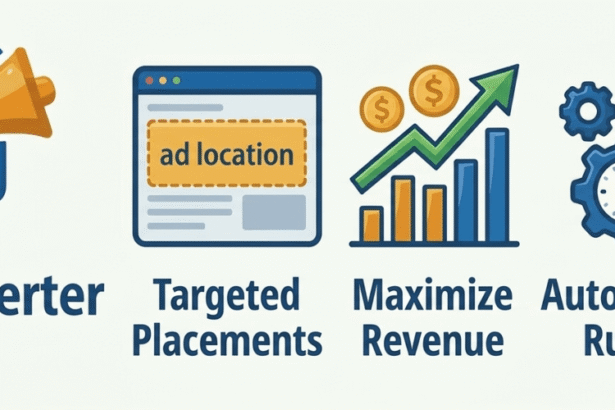



Most WordPress publishers either lose full control by handing everything to AdSense Auto Ads or spend money on a developer to hardcode placements that break the moment they switch themes. There is a better way, and it is completely free.
- The Ad Placement Problem Every WordPress Publisher Has
- What Is Smart Ad Inserter By KentDevTools?
- All 11 Ad Positions: Explained
- The Feature That Changes Everything: Mobile vs Desktop Ad Targeting
- Lazy Loading Because Fast Pages Earn More Than Slow Ones
- How to Get Started in Under 5 Minutes
- How Smart Ad Inserter Compares to Other Free WordPress Ad Plugins
- Everything Else You Get — All in the Free Plugin
- FAQ
- Will this work with Google AdSense Auto Ads?
- Does it work with WP Rocket and other caching plugins?
- My AdSense code wasn’t saving correctly before script tags kept disappearing. Is that fixed?
- Can I show different ads on mobile and desktop at the same position?
- How do I use it with Elementor?
- What happens to my ads if I deactivate the plugin?
- Your WordPress Site Deserves Ads in the Right Place
The Ad Placement Problem Every WordPress Publisher Has
You have written a great post. You have done your keyword research, added your images, and structured your headings properly. You hit publish, and then you look at your AdSense dashboard, and the revenue barely moves.
The problem is almost never your traffic. It is almost always your ad placement.
Ad performance is brutally sensitive to position. An ad placed after the second paragraph of an article where a reader is already engaged and scrolling will consistently outperform the same ad sitting at the bottom of the page after the reader has already left. Research from Google itself shows that viewability drops significantly for ads placed below the fold, especially on mobile.
But here is the catch: WordPress, by default, gives you almost no control over where ads appear inside your content. You can paste an ad widget into a sidebar. You can drop code into your header or footer. But precisely controlling where an ad appears inside the body of a post after paragraph two, right before your first image, or just above the final paragraph that requires either custom PHP in your theme files or a plugin that actually handles it properly.
The difference between an ad placed after paragraph 2 and an ad placed at the bottom of the page can be a 3x difference in CTR on the same article, same content, same traffic, different position
That is the exact problem Smart Ad Inserter by KentDevTools was built to solve.
11 Ad positions available, more than any other free plugin
0 Lines of code needed to get started
100% free, no premium tier, no feature locks, no upsells
What Is Smart Ad Inserter By KentDevTools?
Smart Ad Inserter is a free WordPress plugin built by KentDevTools that gives you complete, visual control over where and how ads appear on your WordPress site from a clean admin dashboard, with no coding required.
It supports Google AdSense, Media.net, Ezoic, custom HTML banners, and any ad code that outputs HTML or JavaScript. You create an ad, choose where it appears, set your device targeting, and save. The plugin handles the rest, injecting your ad code at exactly the right point in every post, on every page, automatically.
Full <script> tag support: Unlike most free ad plugins that strip script tags from saved content, Smart Ad Inserter uses secure base64 encoding to store your ad code, meaning your full AdSense <script async src=”…”> tags are preserved and output exactly as pasted.
All 11 Ad Positions: Explained
This is where Smart Ad Inserter genuinely stands apart from every other free WordPress ad management plugin. Most plugins give you three or four basic positions. Smart Ad Inserter gives you eleven, covering every placement that actually drives revenue.
CONTENT
After Paragraph #
Choose the exact paragraph number 2, 3, 5, or any number up to 50. The most powerful placement for mid-content engagement.
CONTENT
Before First Image
Injects the ad immediately before the first image in your content. Readers’ eyes move toward images; this ad gets seen.
CONTENT
After First Image
Places the ad right after the first image. In-feed image ads here consistently earn some of the highest CTRs of any placement.
CONTENT
Before Last Paragraph
Catches readers right before they finish the moment of highest engagement before they decide what to do next.
CONTENT
Before / After Content
Top and bottom of the post body are the classic positions, done properly with full targeting control.
CONTENT
Before Content Ends
After the last paragraph, before post-content elements like related posts or comment sections.
SITEWIDE
Top of Site
Output via wp_head on every page of your site above your theme header. Also the correct way to deploy AdSense Auto Ads.
SITEWIDE
Footer
Output via wp_footer on every page. Perfect for sitewide footer banners without editing any theme files.
STICKY
Sticky Top Bar
A fixed bar pinned to the top of the browser window as visitors scroll is the highest viewability format available.
STICKY
Sticky Bottom Bar
Fixed to the bottom of the screen. The standard anchor ad format. Includes a close button AdSense policy compliant out of the box.
Stack positions for maximum revenue: Create three ads: one after paragraph 2, one before the last paragraph, and one sticky bottom bar. Each fires independently with its own device targeting. On a 1,500-word post, this gives you three highly visible ad placements without violating AdSense’s ad density guidelines.
The Feature That Changes Everything: Mobile vs Desktop Ad Targeting
If you are not showing different ad sizes to mobile and desktop visitors, you are leaving money on the table. A 728×90 leaderboard looks terrible on a mobile screen. A 320×50 mobile banner looks too small on a 27-inch monitor. Most free WordPress ad plugins force you to choose one size for everyone.
Smart Ad Inserter gives every ad a Show On setting: All Devices, Mobile Only, or Desktop Only.
The recommended setup is to create two versions of the same ad for the same position: one mobile-only with your 320×50 AdSense code and one desktop-only with your 728×90 code. Each device sees the right size and the right creative automatically, every time.
Detection is entirely server-side using WordPress’s built-in wp_is_mobile() function. No JavaScript, no layout shift, no Cumulative Layout Shift (CLS) issues. This is how mobile and desktop ad targeting in WordPress should work, and it is fully compatible with every page caching plugin, including WP Rocket, LiteSpeed Cache, and W3 Total Cache.
Lazy Loading Because Fast Pages Earn More Than Slow Ones
The single most common complaint about WordPress ad plugins is the impact on page speed. Ads that fire immediately on page load block rendering, increase your Largest Contentful Paint (LCP) score, and hurt your Core Web Vitals, which Google uses as a ranking signal.
Smart Ad Inserter’s lazy loading feature uses the browser’s native IntersectionObserver API. When enabled, ad wrappers are present in the HTML from the start but invisible until they scroll into the visitor’s viewport. Only then does the ad script fire and the creative load.
Faster initial page loads
Ads that haven’t entered the viewport don’t block your initial render your content loads first, ads load as visitors scroll.
Better Core Web Vitals
Lazy loading prevents ads from contributing to LCP and CLS on initial load both signals Google uses for search ranking.
Impression tracking built in
Every time an ad enters the viewport, an impression is recorded. The built-in analytics dashboard shows views, clicks, and CTR per ad.
Zero configuration
One checkbox in Settings. Works with all modern browsers. Falls back gracefully on older browsers with no broken ads.
How to Get Started in Under 5 Minutes
Installing Smart Ad Inserter and placing your first ad takes less time than reading this section. Here is exactly how:
1. Install the plugin
Go to Plugins → Add New in your WordPress admin, search for “Smart Ad Inserter KentDevTools”, and click Install Now, then Activate. You will see Ad Manager appear in your sidebar.
2. Create your first ad
Go to Ad Manager → Add New Ad. Give your ad a name (e.g. “After Paragraph 2 Mobile”) and paste your AdSense code or any HTML ad code into the Ad Code field. Full <script> tags are supported.
3. Choose your position
Set Where to Insert to “After Paragraph #” and enter 2 in the Paragraph Number field. Set Show Onto “Mobile Only” and check “Post” under Post Type Targeting.
4. Create your desktop version
Repeat the same steps with your 728×90 desktop AdSense code, setting Show Onto “Desktop Only”. Now both devices show the correct ad size at the same position.
5. Enable lazy loading
Go to Ad Manager → Settings and check “Lazy load ads”. Save. Your ads now load only when visible faster pages, better scores, full impressions.
Start Placing Ads Exactly Where You Want Them: Free
Install Smart Ad Inserter By KentDevTools and take full control of every ad on your WordPress site. Works with AdSense, Elementor, WP Rocket, WooCommerce, and more.
How Smart Ad Inserter Compares to Other Free WordPress Ad Plugins
There are a handful of ad management plugins for WordPress. Here is an honest comparison of what the free versions actually offer:
| Feature | Smart Ad Inserter By KentDevTools | Ad Inserter Free tier | Advanced Ads Free tier |
|---|---|---|---|
| After specific paragraph # | ✅ Yes | ✅ Yes | 💰 Pro only |
| Before / after first image | ✅ Yes | ❌ No | ❌ No |
| Sticky top / bottom bar | ✅ Yes | 💰 Pro only | 💰 Pro only |
| Mobile vs desktop targeting | ✅ Yes | ✅ Yes | 💰 Pro only |
| Lazy loading | ✅ Yes | ❌ No | 💰 Pro only |
| Built-in impression analytics | ✅ Yes | ❌ No | 💰 Pro only |
| ads.txt management | ✅ Yes | ❌ No | ❌ No |
| Full <script> tag support | ✅ Yes | ✅ Yes | ✅ Yes |
| Shortcode support | ✅ Yes | ✅ Yes | ✅ Yes |
| GDPR consent gate | ✅ Yes | ❌ No | 💰 Pro only |
| Clean uninstall (no data left) | ✅ Yes | ❌ No | ❌ No |
| No subscription needed | ✅ Fully free | 💰 Pro required for most features | 💰 Pro required for most features |
Everything Else You Get — All in the Free Plugin
Smart Ad Inserter ships as a complete tool not a teaser for a paid upgrade. Here is the full feature list:
- Shortcode support: use
[aam_ad id="..."]to place any ad inside Elementor layouts, Divi modules, widget areas, or PHP templates - Post type targeting: show ads on Posts only, Pages only, WooCommerce Products, or any registered custom post type
- Category & post ID exclusions: hide all ads on specific categories or list individual post IDs where ads should never appear
- Minimum content length: only show ads on posts long enough to support them, skipping short stub posts automatically
- GDPR consent gate: hold all ads until a visitor’s consent cookie is detected works with Cookie Notice and other CMP plugins out of the box
- ads.txt management: paste your ads.txt content in Settings and it is served automatically at
yourdomain.com/ads.txtno FTP access required - Advertisement label: show or hide the disclosure label above each ad, with fully customisable label text
- Impression analytics: built-in dashboard showing total impressions, clicks, and CTR per ad
- Instant toggle: pause or reactivate any ad from the All Ads list with a single switch, without deleting the configuration
- Translation-ready: fully internationalised with a
.potfile for easy translation into any language - Clean uninstall: every trace removed from the database on deletion, including full multisite support.
Missing ads.txt is costing you AdSense revenue right now: Google AdSense requires an ads.txt file at your domain root. Without it, some advertiser demand is restricted, which directly reduces your RPM. Smart Ad Inserter’s built-in ads.txt manager lets you set it up in 30 seconds no FTP, no hosting support ticket, no file manager access required.
FAQ
Will this work with Google AdSense Auto Ads?
Yes. Create an ad, set the position to Top of Site, and paste your AdSense Auto Ads <script async src="https://pagead2.googlesyndication.com/..."> snippet as the ad code. The plugin outputs it inside wp_head on every page exactly as Google requires for Auto Ads to work correctly.
Does it work with WP Rocket and other caching plugins?
Yes, fully. Ad injection is entirely server-side (PHP) before the page is ever cached. This means WP Rocket, LiteSpeed Cache, W3 Total Cache, WP Super Cache, and Cloudflare are all completely compatible no configuration needed on the cache plugin side.
My AdSense code wasn’t saving correctly before script tags kept disappearing. Is that fixed?
Yes, completely. WordPress’s standard sanitisation strips <script> tags from saved content to prevent security issues, which breaks AdSense codes in most plugins. Smart Ad Inserter uses base64 encoding to store your ad code safely, which means your full script tags are preserved exactly as you pasted them and decoded correctly on output.
Can I show different ads on mobile and desktop at the same position?
Yes, this is one of the standout features. Create two separate ads targeting the same position. Set one to Mobile Only (paste your 320×50 code) and the other to Desktop Only (paste your 728×90 code). Each device sees the correctly sized ad. Detection is server-side, so it works with all caching configurations and causes zero layout shift.
How do I use it with Elementor?
Find your ad’s shortcode in Ad Manager → All Ads it is shown below the ad name (e.g. [aam_ad id="ad_abc123"]). In Elementor, add a Shortcode widget and paste the code. The ad renders in that position in your layout. All device targeting and enabled/disabled rules still apply when placed via shortcode.
What happens to my ads if I deactivate the plugin?
Deactivating the plugin stops all ad injection immediately no ads will show. Your ad configurations and settings are preserved in the database, so when you reactivate, everything picks up exactly where it left off. Deleting the plugin (as opposed to deactivating) will remove all data via the included uninstall.php file.
Your WordPress Site Deserves Ads in the Right Place
Ad revenue on WordPress is not just about traffic volume it is about placement, timing, and targeting. An ad seen by an engaged reader earns more than an ad sitting at the bottom of a page nobody scrolls to. A correctly sized mobile banner earns more than a desktop leaderboard being squashed into a 375px screen.
Smart Ad Inserter By KentDevTools gives you the tools to get every one of those decisions right for free, without code, and without sacrificing your page speed or your user experience.
Eleven positions. Mobile and desktop targeting. Lazy loading. Built-in analytics. ads.txt management. GDPR consent gate. Shortcode support. Everything a serious WordPress publisher needs and none of it locked behind a paid upgrade.
Ready to Take Control of Your WordPress Ad Placements?
Download Smart Ad Inserter By KentDevTools free works with AdSense, Elementor, Divi, WP Rocket, LiteSpeed Cache, WooCommerce, and every major WordPress setup.