

You’ve spent hours sometimes days creating the content on your WordPress site. The last thing you need is a competitor, a scraper, or a lazy visitor copying it wholesale and passing it off as their own. If you’re serious about protecting your WordPress blog content from theft, this post will show you exactly why most protection fails and how NoxCopy by KentDevTools is the only plugin that closes every single gap.
- The Hard Truth: Your Current Protection Is Probably Useless
- The 5 Ways People Actually Steal WordPress Content
- Introducing NoxCopy: The WordPress Plugin That Closes Every Door
- Stop Content Theft on Your WordPress Site Today
- The Feature No Other Plugin Has: AdSense Safe Mode
- NoxCopy vs. Every Free Copy Protection Plugin Out There
- Will NoxCopy Hurt My SEO? No Here’s Why
- FAQ
- How do I stop people from copying text on my WordPress website?
- Does disabling right-click actually protect WordPress content?
- Can WordPress copy protection affect my Google AdSense approval?
- How do I stop image theft on my WordPress site?
- Will NoxCopy affect my WordPress SEO or Google rankings?
- Your Content Deserves Real Protection: Not the Illusion of It
The Hard Truth: Your Current Protection Is Probably Useless
Ask most WordPress site owners how they protect their website content from copying and the answer is the same: “I installed a disable right-click plugin.” That answer made sense a decade ago. Today, it’s like locking one door in a house with six open windows.
The right-click context menu is the least-used copy method. Anyone who has spent more than a month using a browser knows Ctrl+A followed by Ctrl+C and that bypasses right-click protection entirely. Add Ctrl+U to view your full page source, or F12 to open DevTools and extract clean text from any element on the page, and right-click blocking becomes almost irrelevant.
Disabling right-click without blocking keyboard shortcuts is like posting a ‘No Photography’ sign and leaving the back door wide open
<15% of copy attempts right-click disable actually stops
5 +distinct copy methods most free plugins completely ignore
0 SEO impact from NoxCopy Googlebot is completely unaffected
If you want to stop visitors from copying text from your WordPress blog properly, you need a plugin that was built to close all five methods not just the most visible one. That plugin is NoxCopy.
The 5 Ways People Actually Steal WordPress Content
Before you can stop content scraping on your WordPress site you need to understand what you’re actually up against. Most people only know about Method 1 which is exactly why most protection fails.
Right-Click → Copy / Save Image
The most visible method and the easiest to block. Stopped by almost every plugin but used by the fewest copiers.
Keyboard Shortcuts (Ctrl+C, Ctrl+A)
The most common method by far. Two keystrokes bypass every right-click blocker in existence. Zero technical knowledge needed.
Browser DevTools (F12)
Opens Chrome or Firefox developer tools. Users can extract clean text from any element used by bloggers and content marketers daily.
View Page Source (Ctrl+U)
Opens your full raw HTML in a new tab. Clean, unstyled, ready to copy. CSS protections are completely irrelevant here.
Screenshots & Print to PDF
For visual and designed content screenshots and Ctrl+P → Save as PDF capture exactly what’s on screen regardless of text protections.
Automated Scraping Bots
Bots make direct HTTP requests they never load a browser UI. Watermarking is your strongest defence here for ownership attribution.
Free plugins only block Method 1: Every popular free copy protection plugin in the WordPress directory focuses on right-click alone. That means Methods 2 through 6 are completely open on your site right now even if you think you’re protected.
Introducing NoxCopy: The WordPress Plugin That Closes Every Door
NoxCopy by KentDevTools was built specifically because no single plugin addressed all five copy methods. After years of watching WordPress site owners believe they were protected when they weren’t we built the solution that actually works.
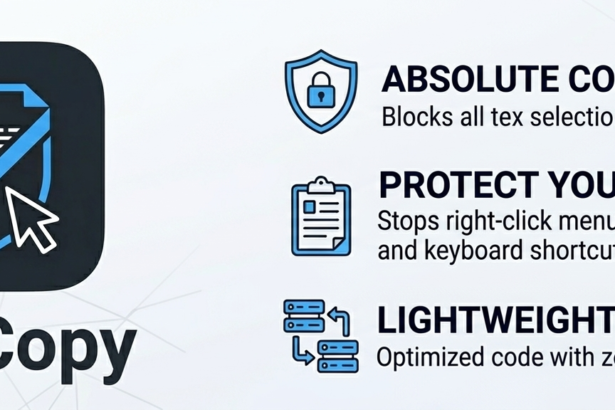
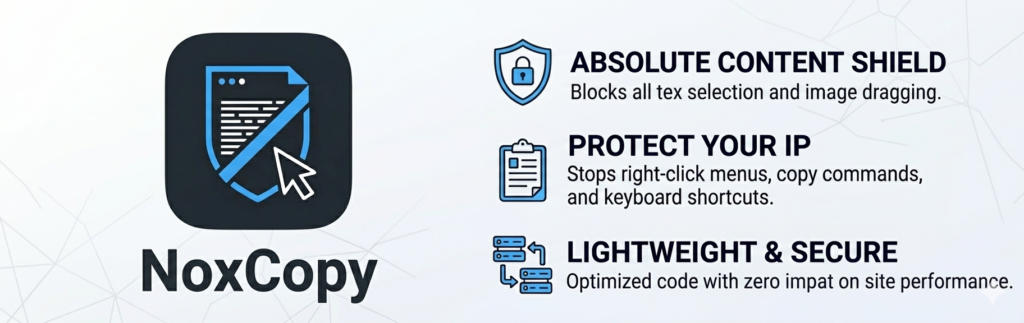
NoxCopy is not another right-click blocker dressed up with a settings page. It is a complete, multi-layer content protection stack the only WordPress plugin that simultaneously closes every browser-side copy method in a single, lightweight install.
Disables right-click context menu
Suppresses the browser context menu on all content text, images, links, and backgrounds and shows a friendly, customisable toast alert so visitors know copying isn’t permitted.
Blocks all keyboard copy shortcuts
Intercepts Ctrl+C, Ctrl+A, Ctrl+U, Ctrl+S, Ctrl+P, Ctrl+X, and F12 the complete set of browser copy and inspection shortcuts. This is the protection most site owners are missing entirely.
Disables text selection
Prevents mouse and touch highlighting using both CSS user-select: none and JavaScript event interception making it impossible to manually select and drag-copy text.
Detects and responds to DevTools
NoxCopy monitors window dimensions to detect when browser developer tools open. You choose what happens show a warning toast or redirect the visitor to any URL you set.
Blurs content on screenshots and print
When the tab loses focus switching to a screenshot tool or screen recorder NoxCopy applies a blur(10px) filter to the entire page. Print attempts trigger the same blur or a full content hide.
Blocks image drag, right-click save, and theft
Every image on your site gets draggable="false" and drag/save event blocking. A MutationObserver ensures even lazy-loaded and AJAX-rendered images are protected automatically no extra configuration needed.
Watermarks your content automatically
NoxCopy overlays a configurable semi-transparent text stamp directly on your post content. Set the text, set the opacity, and preview it live in the admin no coding, no shortcodes.
Stop Content Theft on Your WordPress Site Today
NoxCopy closes every copy door keyboard shortcuts, DevTools, image theft, screenshots, and right-click with AdSense Safe Mode built in. One plugin. One-time payment. Total protection
The Feature No Other Plugin Has: AdSense Safe Mode
Here’s something almost nobody tells you: aggressive copy protection can get your Google AdSense application rejected. Google’s review team evaluates your site for user experience quality and features like text selection blocking and DevTools detection are explicitly flagged as poor UX.
Every other copy protection plugin ignores this problem entirely, leaving you to figure it out when your AdSense application comes back declined. NoxCopy solves it with a single toggle.
How NoxCopy AdSense Safe Mode works: Enable it before submitting your AdSense application. It automatically turns off text selection blocking, keyboard shortcut interception, DevTools detection, and screenshot blurring the four features most likely to cause a rejection while keeping right-click protection and image blocking active. Once Google approves your account, disable Safe Mode and re-enable everything with one click.
Already have AdSense?: Even with an active AdSense account, Google monitors your site for UX quality post-approval. It’s worth keeping AdSense Safe Mode enabled unless your site is fully established and approved then you can push to full protection.
NoxCopy vs. Every Free Copy Protection Plugin Out There
The WordPress plugin directory is full of copy protection plugins most abandoned since 2019, offering one feature and calling it done. Here’s how NoxCopy compares to every free alternative:
| Protection Feature | NoxCopy | Typical Free Plugin |
|---|---|---|
| Disable right-click | ✅ Yes | ✅ Yes |
| Block Ctrl+C & Ctrl+A | ✅ Yes | ❌ No |
| Block Ctrl+U & Ctrl+S | ✅ Yes | ❌ No |
| F12 & DevTools detection | ✅ Yes + redirect | ❌ No |
| Screenshot & print blur | ✅ Yes | ❌ No |
| Image drag & save blocking | ✅ Yes + MutationObserver | ⚡ Basic only |
| Watermark overlay | ✅ Yes (live preview) | ❌ No |
| AdSense Safe Mode | ✅ Built-in | ❌ No |
| Post-type targeting | ✅ Yes | ❌ No |
| Exclude logged-in users | ✅ Yes | ❌ No |
| Zero SEO impact | ✅ Confirmed | ✅ Yes |
| Actively maintained | ✅ Yes | ❌ Mostly abandoned |
The conclusion is unavoidable: if you’re using a free copy protection plugin, you are not protected. You have the illusion of protection which may actually be worse, because it stops you from taking the problem seriously.
Will NoxCopy Hurt My SEO? No Here’s Why
This is the first question every site owner asks and the answer is a firm, unconditional no. NoxCopy operates entirely in JavaScript on the visitor’s browser. Googlebot crawls your pages by fetching raw HTML from your server it never executes JavaScript the way a browser does, and it certainly doesn’t try to right-click, press F12, or interact with any browser UI.
NoxCopy & SEO the full picture: The plugin script is under 3 KB, loads in the page footer, makes zero external network requests, and adds no markup to your content. Googlebot sees your page exactly as it did before installation. PageSpeed Insights, Core Web Vitals, and your search rankings are completely unaffected.
FAQ
How do I stop people from copying text on my WordPress website?
To properly prevent text copying on your WordPress website you need to combine: (1) disable text selection via CSS and JavaScript, (2) block keyboard shortcuts like Ctrl+C and Ctrl+A, and (3) suppress the right-click context menu. NoxCopy by KentDevTools handles all three plus DevTools detection, image protection, screenshot blurring, and watermarking from a single settings page with no coding required.
Does disabling right-click actually protect WordPress content?
No right-click disable alone stops fewer than 15% of copy attempts. The majority of content theft on WordPress sites happens through keyboard shortcuts (Ctrl+C, Ctrl+A), browser DevTools (F12), View Source (Ctrl+U), and automated scraping bots none of which touch the right-click menu. NoxCopy is the only WordPress plugin that closes all five methods simultaneously.
Can WordPress copy protection affect my Google AdSense approval?
Yes certain features like text selection blocking and DevTools detection can flag your site as poor UX during Google’s review process and cause a rejection. NoxCopy’s built-in AdSense Safe Modeautomatically disables the risky features while keeping basic protection active. Once your AdSense account is approved, turn Safe Mode off and re-enable full protection in one click.
How do I stop image theft on my WordPress site?
To prevent image theft on your WordPress website you need to: set draggable="false" on all images, block the dragstart event, suppress contextmenu on images to disable right-click save, and optionally overlay a watermark. NoxCopy handles all of this automatically including a MutationObserver that protects lazy-loaded and AJAX-rendered images without any extra configuration.
Will NoxCopy affect my WordPress SEO or Google rankings?
No zero impact. NoxCopy is pure JavaScript that runs in the visitor’s browser. Googlebot crawls raw HTML server-side and never interacts with browser-based scripts during indexing. Your rankings, Core Web Vitals, PageSpeed scores, and crawlability are completely unaffected by NoxCopy. This is confirmed by how Googlebot works it is not a browser.
Your Content Deserves Real Protection: Not the Illusion of It
Every article you’ve published, every image you’ve created, every product description you’ve written it all represents your time, your expertise, and your competitive advantage. Leaving it exposed because a right-click blocker installed three years ago gives you a false sense of security is a real business risk.
NoxCopy by KentDevTools is the only WordPress plugin that takes content protection seriously enough to close every door keyboard shortcuts, DevTools, image dragging, screenshots, right-click, and automated watermarking in a single lightweight install. And with AdSense Safe Mode built in, it’s the only plugin that protects your content without putting your monetisation at risk.
One-time payment. No subscriptions. No renewals. Lifetime updates on Pro and Agency plans. It is the last copy protection plugin your WordPress site will ever need.